
Which exchanges can the trading journal import from?
Binance, Bybit and WEEX, including Spot and Futures. The journal imports USDT trades after you connect an exchange with a read-only API key and run a sync.
Trading Journal
The CryptoVigil Trading Journal is built from your real exchange history, not from manual notes. Connect Binance, Bybit or WEEX with a read-only API key, sync, and your trades, PnL and fees are ready to review.
The problem
A manual journal works for a week. Then a busy session happens, a few trades are skipped, fees are forgotten, and the spreadsheet stops matching the account.
Exchange history has the opposite problem: everything is there, but as raw executions spread across exchanges and market types, with no easy way to ask which pairs, sessions or directions are costing you money.
How it works
Create a read-only key on Binance, Bybit or WEEX and add it in Settings. Trading and withdrawal permissions are not needed.
CryptoVigil imports your USDT trades and rebuilds them into positions with entry, exit, size, fees and net PnL.
Filter by exchange, market type, pair and period, open a single pair, or select a group of trades on the Trade Map and review them together.
USDT trades from Binance, Bybit and WEEX arrive after each exchange sync, without copy-paste.
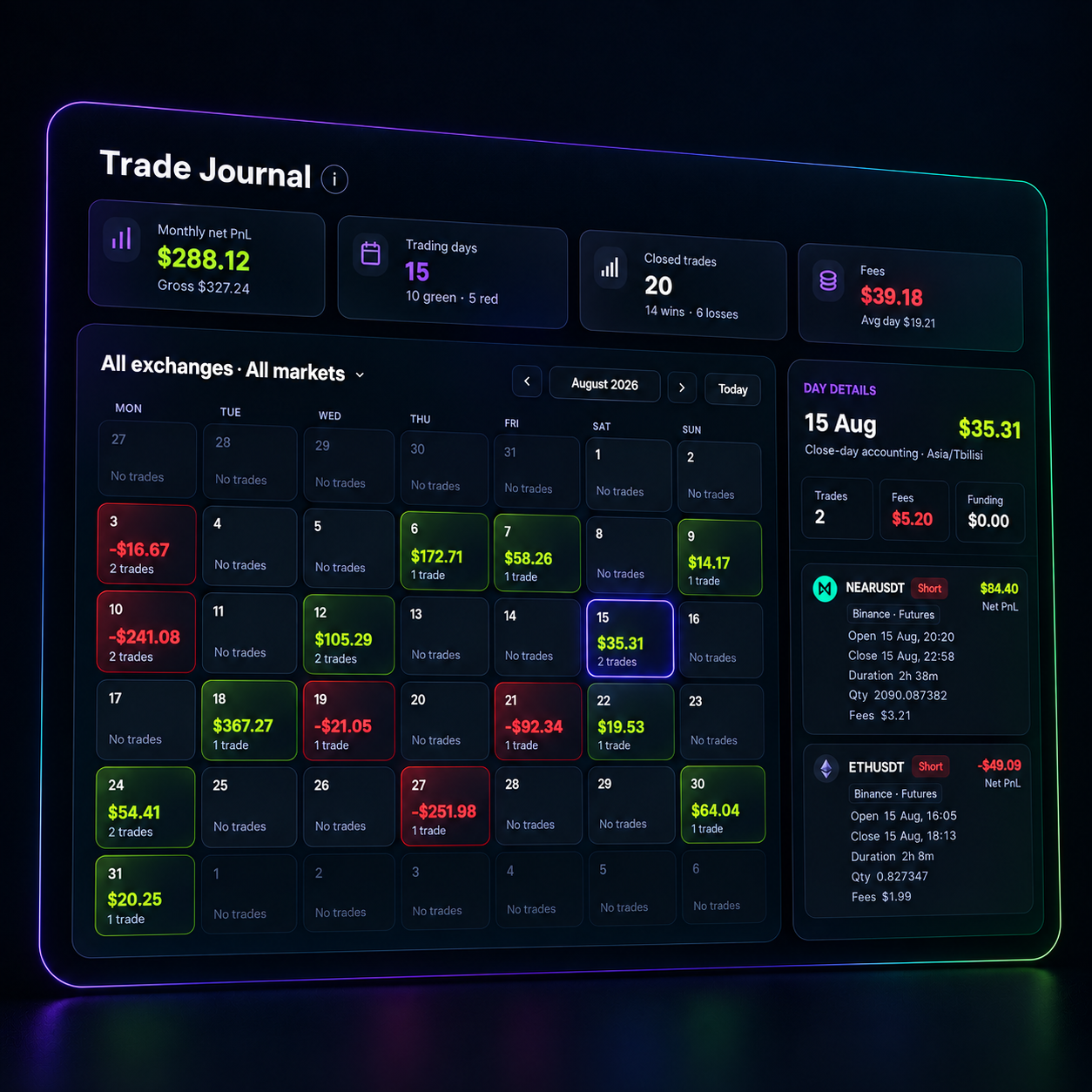
Net results include trading fees, alongside win rate, profit factor and trade count for the selected period.
See which pairs add to your result and which ones keep taking from it, then drill into any pair.
Day-by-day results in a calendar view and a chronological timeline of trades.
Every closed trade on one visual map. Select a group, such as one volatile session, and review its combined PnL, fees and pairs.
One history across exchanges and market types, with filters when you need only one of them.
Supported exchanges are Binance, Bybit and WEEX, Spot and Futures. Connections are read-only: CryptoVigil cannot place orders or withdraw funds, credentials are stored encrypted, and your funds stay on the exchange. Spot PnL is shown when there is enough data to calculate it reliably.
 Binance
 Bybit
Bybit WEEX
WEEXThe journal is where the rest of CryptoVigil meets your results. Trades that followed one of your Telegram alerts or a Market Radar signal are marked as alert-linked, and Signal Review compares them with trades opened without a signal.
Binance, Bybit and WEEX, including Spot and Futures. The journal imports USDT trades after you connect an exchange with a read-only API key and run a sync.
The journal only needs read-only access. Do not enable trading or withdrawal permissions on the key. CryptoVigil reads trade history, cannot place orders or move funds, and stores credentials encrypted.
No. Trades are imported automatically after each exchange sync, including fees and net PnL, so the journal stays in line with your account.
Yes. You can filter by exchange, market type, pair and period, open a dedicated pair view, or combine everything into one history.
CryptoVigil is currently in a free public beta. Join the beta to connect an exchange and start importing trades.
Join the beta to connect alerts, radar signals and your real trades in one workflow.